For years, my go-to video player was IINA. It’s a fantastic open-source project that has served the Mac community incredibly well. It plays almost anything you throw at it, and for most people, it works great.
But as someone who lives in Picture-in-Picture (PiP) mode while working, one tiny frustration eventually grew into a deal-breaker.
The PiP was just a box.
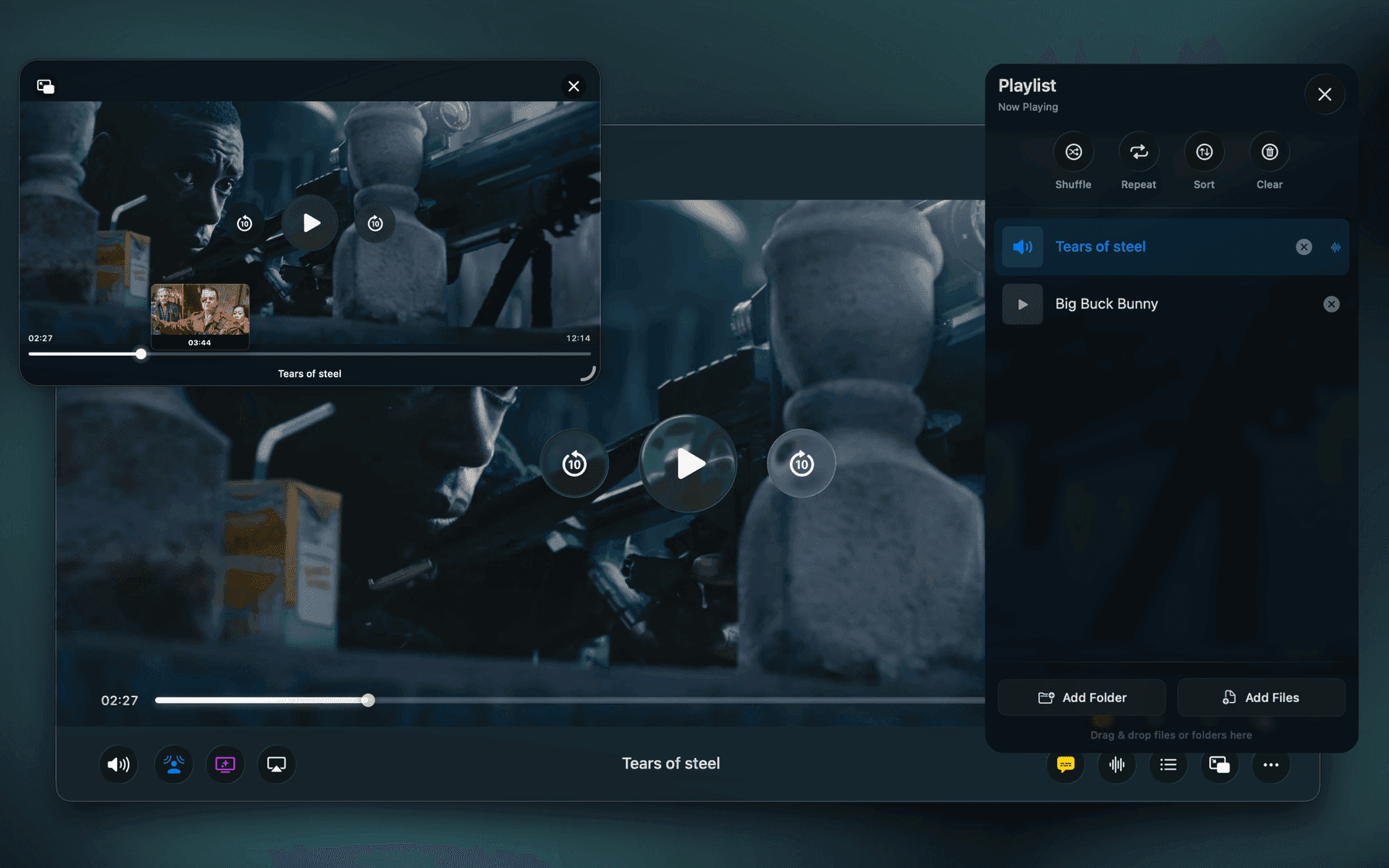
It only had "pause." If I wanted to seek, scrub to a different part of the video, or even just check which episode was playing, I had to break my workflow. I’d have to leave my code, find the main player window, make the change, and go back. It disrupted my focus every single time.
I looked around at the landscape. Other popular players had the same basic PiP limitations, or none at all. I also found myself missing simple quality-of-life features, like an easy way to boost volume on quiet tracks without diving into complex equalizers.
So, I decided to build a "quick" app for myself — something simple that just had a really, really good PiP window.
That was the start of a long rabbit hole.
The "Quick App" Became an Obsession
My "quick app" turned into a deep dive into how video players actually work on macOS.
What I realized is that many of the popular video players on the Mac, including IINA and Elmedia are often wrappers around mpv. This is a powerful cross-platform engine that ensures great file compatibility, but because it is designed to run everywhere, it doesn't always fully leverage the specific hardware strengths of Apple Silicon.
I decided to take a different path. I wanted to build Vidi using FFmpeg for format support, but route the actual visual output directly through Apple’s native video rendering pipeline.
The Native Difference: Performance & HDR
By strictly adhering to native macOS technologies rather than relying on a cross-platform layer, the difference in efficiency turned out to be massive.
When I started running demanding tests, specifically 4K 60fps HDR content, the benefits of this architecture became obvious. Because Vidi speaks the same language as the hardware:
-
Battery Life is Preserved: Vidi sips power where other players might gulp it. By offloading the heavy lifting to the hardware in the way Apple intended, CPU usage stays incredibly low, keeping your laptop cool and your battery green.
-
True-to-Life HDR: This is where the native approach truly shines. Getting HDR to look correct is notoriously difficult; tone mapping often results in washed-out colors or crushed blacks. Because Vidi utilizes the system's native display capabilities, HDR content looks exactly as the director intended — punchy, bright, and with accurate color reproduction that utilizes the full range of your Mac's XDR display.
While mpv-based players are incredibly versatile, Vidi is purpose-built for the Mac, and that specialization pays off in raw performance and picture quality.
Audio That’s as Good as the Picture
Once the video rendering was pixel-perfect, I turned to the sound. Most players treat audio as a utility, I wanted it to be an experience.
I spent months engineering an audio suite from the ground up to solve common viewing annoyances:
-
Spatial Audio: Support for immersive 3D sound that works on any pair of headphones with any video featuring 5.1 or 7.1 surround sound.
-
Voice Boost: Finally, you can stop straining to hear dialogue in poorly mixed movies.
-
Cinema Effect: Gives you that punchy, theater-like sound with deep, resonant bass.
-
Dynamic Sound: Intelligently adjusts the EQ based on whether you are watching dialogue-heavy drama, music, or action.
-
Volume Boost: A clean boost up to 4x (400%) beyond the max volume with minimal distortion.
The Player I Always Wanted
With that rock-solid foundation of native video and enhanced audio, I finally built the features that started this whole journey:
-
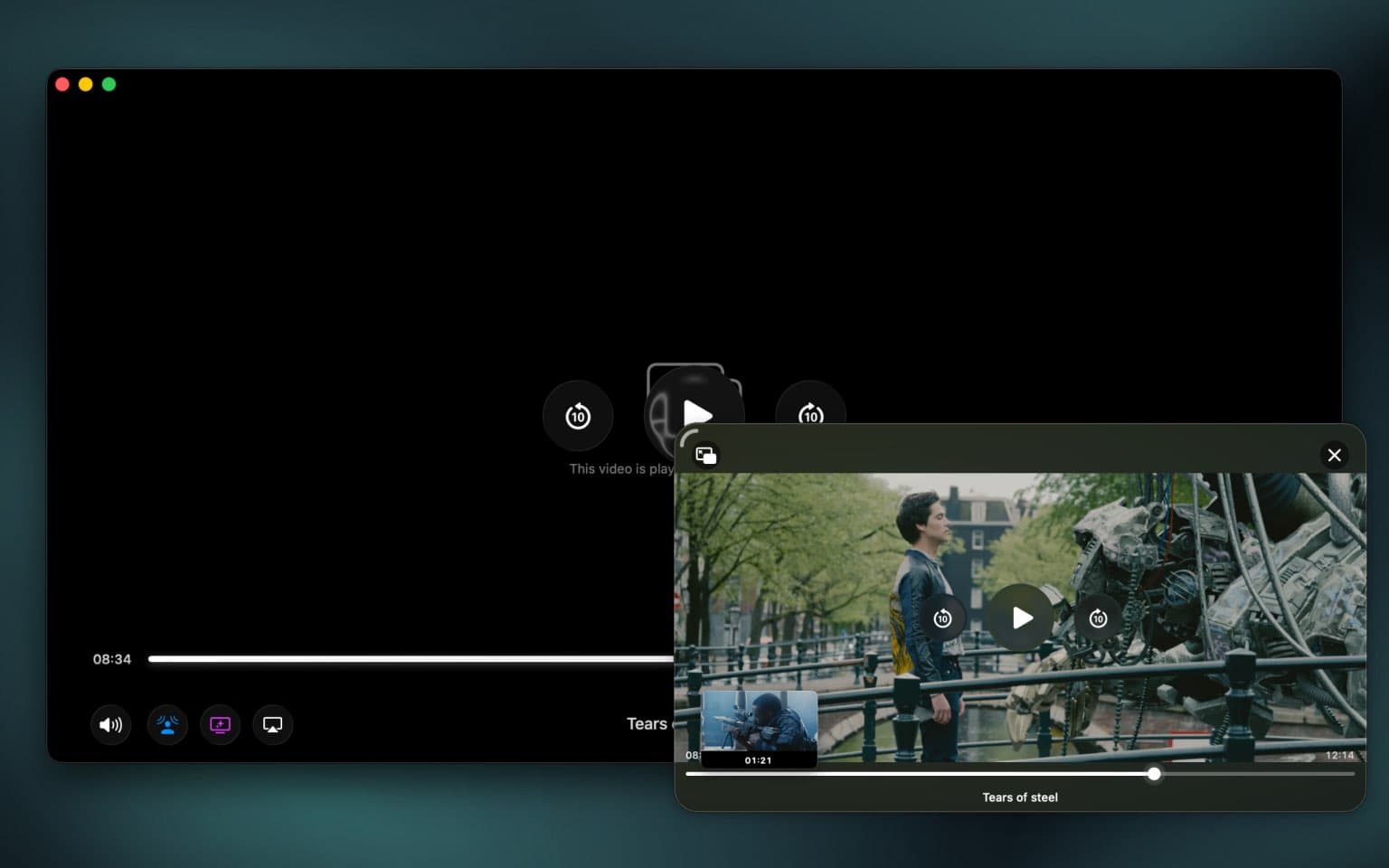
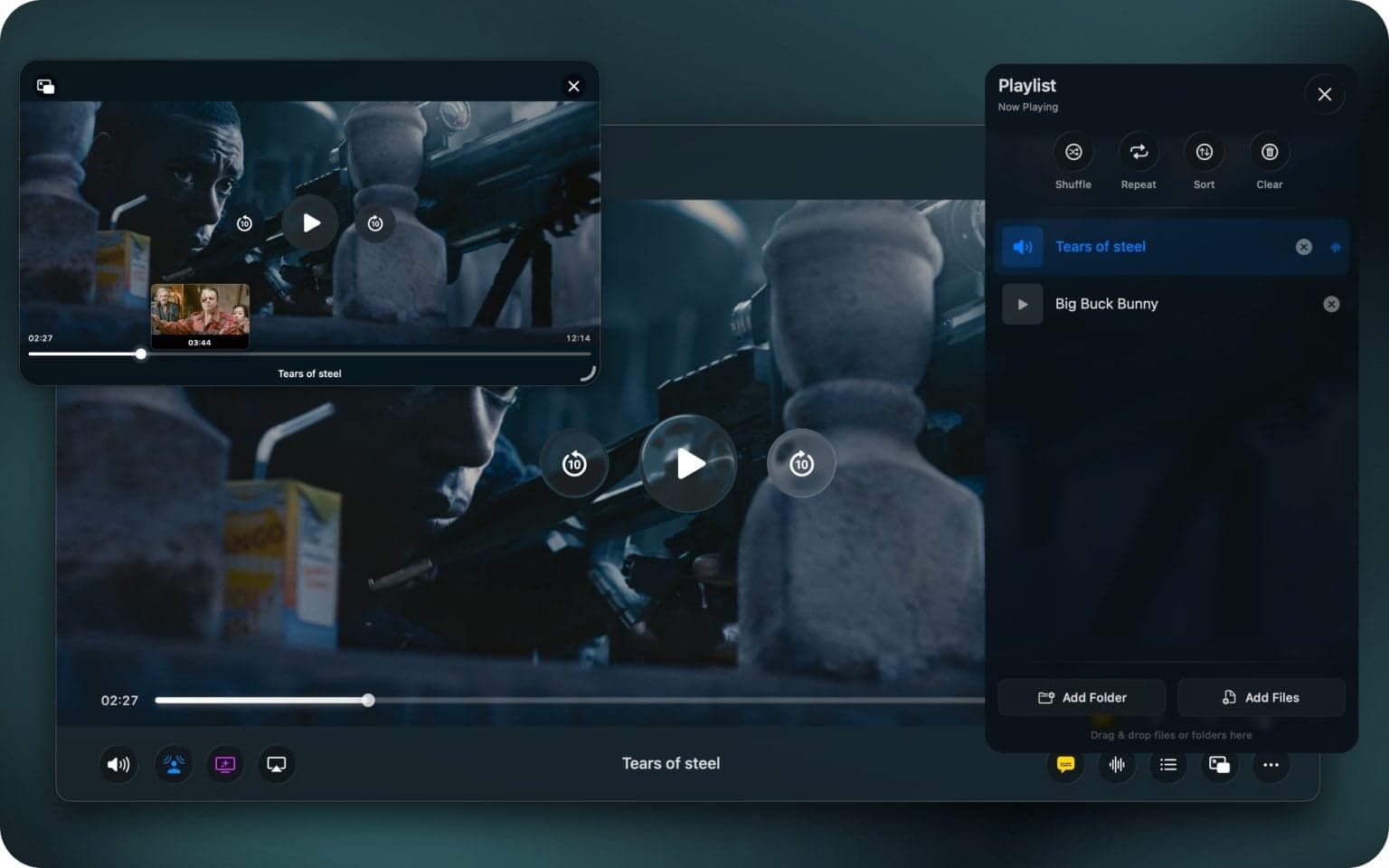
An Advanced PiP (The original spark!): This is the PiP I dreamed of. It features full timeline scrubbing with hover-preview, seeking, and episode info, all contained within the floating window.
-
Stunning Ambient Mode: A beautiful backlight effect that analyzes your video in real-time and extends the colors beyond the screen (similar to bias lighting on TVs).
-
Intro/Outro Skipping: Vidi reads video chapter metadata (where supported) to automatically skip credits and intros, letting you binge-watch uninterrupted.
-
Smart Resume: It remembers your exact spot in every video.
-
Online Subtitle Search: Instantly find and download subtitles from OpenSubtitles.
-
Intelligent Filename Display: It automatically cleans up messy filenames (e.g., "Title.S01E04.1080p.Web-DL.mkv") into a readable "Title - S01E04".
-
Universal Casting: Stream seamlessly to AirPlay, Chromecast, and DLNA devices.
Try Vidi Today
Vidi started as a quest to fix a single, annoying missing feature. It became a mission to build a modern, no-compromise video player specifically for the Mac.
It’s fast, light, powerful, and built with a passion for native quality.
The core Vidi player, featuring best-in-class performance and universal format support, is completely free.
The advanced features — the Immersive Audio Suite, Advanced PiP, Ambient Mode, and Casting — come with Vidi Pro, a one-time purchase you can make right inside the app. Buy it once, keep it forever.
I built this for myself, but I can't wait to share it with you.